Scripted meeting audio
Client discovery
0:000:09
Reconstructed from the fictional script using synthetic voices. No customer audio.
Google Meet, Microsoft Teams, Zoom, and Slack Huddles supported.
PRIVATE MEETING NOTES FOR MAC
MeetingStow records Google Meet, Teams, Zoom, and Slack on your Mac and turns the conversation into a transcript, recap, decisions, and action items. Meeting content stays on your Mac.
Apple Silicon · macOS 15+ · Meet, Teams, Zoom, and Slack.
No subscription · Updates included · 14-day full refund
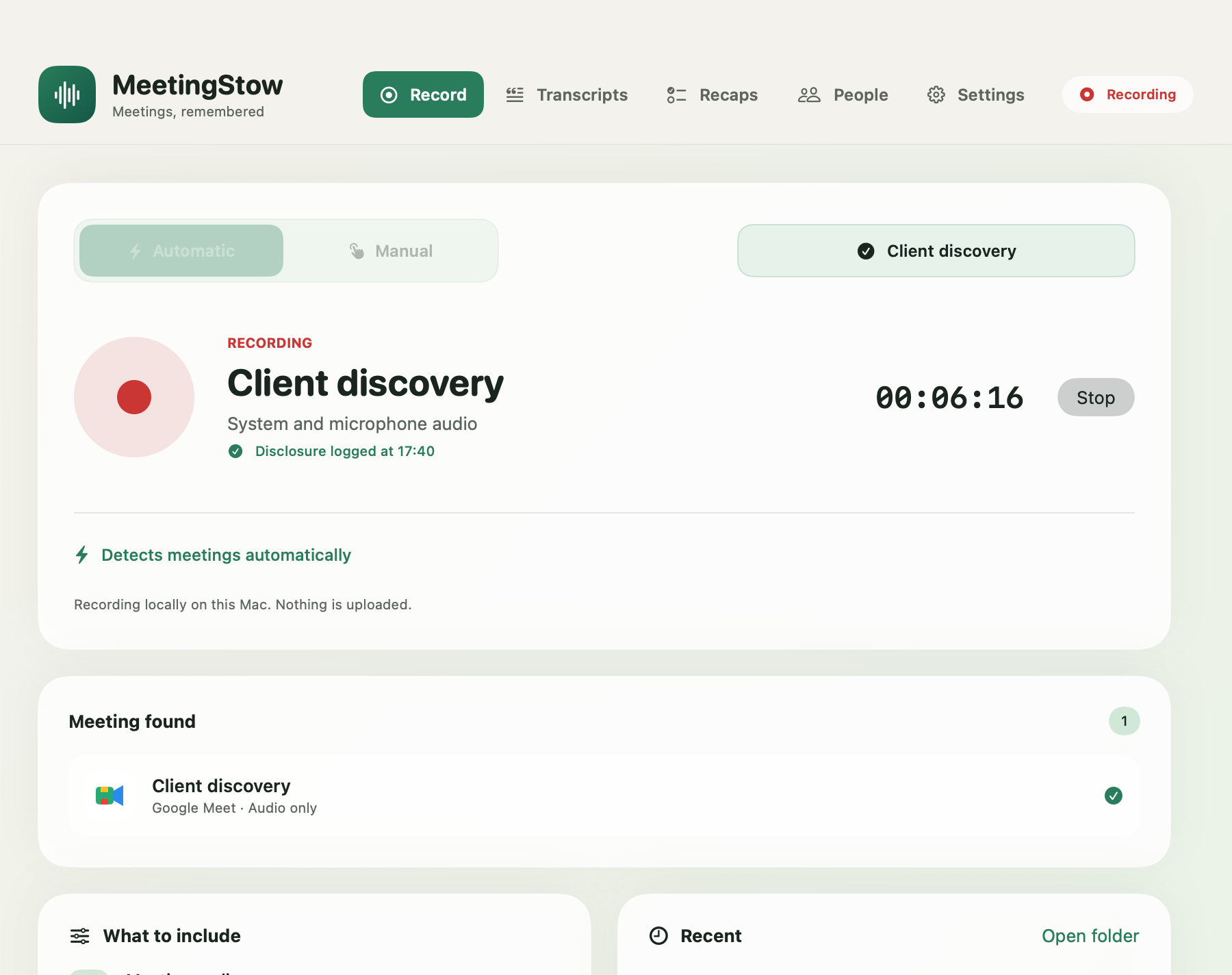
Demo meeting · Recorded and processed in MeetingStow
Play the short scripted clip, follow the matching transcript, and see how MeetingStow turns the useful moments into an action and a decision.
Scripted meeting audio
Reconstructed from the fictional script using synthetic voices. No customer audio.
Source transcript
MeetingStow recap
No subscription · updates included · 14-day full refund
Private, bot-free meeting notes
Built for client work: Contract developers · product and design consultants · fractional CTOs and PMs · small technical agencies
Know what was decided
Review a local transcript, recap, decisions, and action items, each connected to supporting moments in the conversation.
Keep client conversations on your Mac
MeetingStow captures supported call audio, creates the transcript and recap, and keeps the meeting files on the Mac you are using.
Pay once. Keep using it
The one-time purchase includes the full Mac app and future MeetingStow for Mac updates released during the product’s commercial lifetime.
How it works
Open Google Meet, Teams, Zoom, or Slack normally. MeetingStow detects the supported call without adding a bot participant.
After your disclosure confirmation, Automatic Recording captures meeting and microphone audio locally while recording controls stay visible.
After the call, MeetingStow processes the transcript on your Mac and creates a recap with evidence-backed decisions and action items.
Local by design
Buy the full Mac app with a 14-day full refund.
Simple pricing
Buy MeetingStow once. Every future MeetingStow for Mac update is included.
Launch celebration offer
Save $20 through August 31, 2026. $49.99 starting September 1.
Funding members
$27 once with your funding-member coupon.
37 licenses issued before coupon launch · 50 places total
Limited to 50 funding members. Apply your coupon below.
Supported: Google Meet, Microsoft Teams, Zoom, and Slack Huddles.
Buy for Mac — $49.99 onceApple Silicon (M1 or later) · macOS 15+ · Notarized app · Taxes may apply at checkout
Questions, answered
MeetingStow requires an Apple Silicon Mac—including M1—and macOS 15 or newer. It detects Google Meet, Microsoft Teams, meetings and webinars in the Zoom desktop app, and Slack Huddles.
Stripe returns you to a private page with the Mac installer and your license key. When transactional email is available, MeetingStow also sends that private link and key to the checkout address. On your Mac, install the app, paste the key, and activate it.
You will grant the macOS recording permissions needed for the features you use. On macOS 15, the local Qwen transcription and recap path downloads approximately 2.19 GB and 1.72 GB the first time each model is used. Model choices and requirements are shown in the app.
Meeting recording, transcription, recap creation, and storage happen locally after the required models or system assets are ready. Internet is still required to purchase, download, activate, fetch first-use models, and periodically validate the license. A successful validation currently provides a seven-day offline grace period.
The default Qwen transcription engine is English-first and offers automatic language detection or a supported language choice. Apple Speech languages depend on what macOS makes available. You can also use Ambient sound for an in-room, microphone-only conversation. Accuracy varies with language, audio, accents, and overlapping speakers.
Your purchase covers Apple Silicon Macs you own or control for your own personal or internal business use. The license key and protected download link cannot be shared with another person or organization. See the Terms for the full license.
Review the transcript and recap in MeetingStow, jump from an action or decision to its supporting transcript moment, copy the transcript, or export transcripts and recaps as Markdown files. MeetingStow does not currently send notes directly to a CRM or project tool.
This is a paid one-time purchase, not a free trial. You can request a full refund within 14 days by emailing [email protected]. See the Refund Policy.
Notify participants and obtain any permission required by applicable law, contract, or client policy before recording. MeetingStow’s prompt and local disclosure record assist your workflow but do not prove consent or guarantee compliance.